Manage TikTok Ads
On The Go, Finally.
TikTok Ads Manager is built for the desktop.
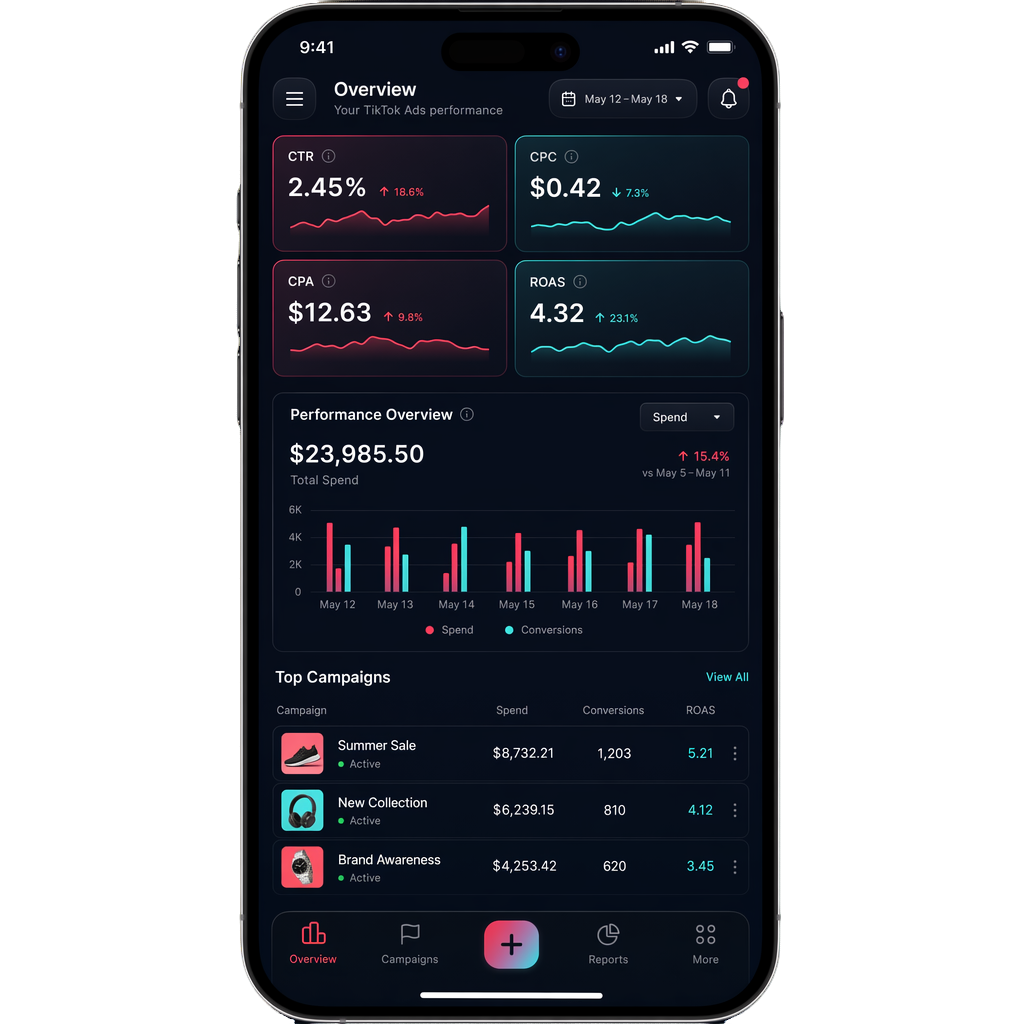
Join the early access waitlist for a dedicated mobile app that helps you quickly check performance, stop losses instantly, and get notified of anomalies—anytime, anywhere.
Why you need a dedicated app
Stop waiting to get back to your laptop. Take control of your ad spend from your pocket.
Quick Performance Check
A clean, mobile-optimized dashboard to instantly see how your campaigns are performing today without navigating clunky web interfaces on your phone.
One-Tap Pause & Stop Loss
Losing money on a bad campaign? Turn it off immediately with one tap. Timely intervention saves your budget when you're away from your desk.
Automated Rule Notifications
Set custom alerts. Get a push notification instantly if your CPC spikes or CPA falls below/above your configured threshold.
What advertisers are saying
We're building this because media buyers asked for it.
"The fact TikTok still doesn't even have a basic iOS app for their ads manager is both perplexing and frustrating."
"It's super helpful to know when I want to pause a campaign because it stopped performing... immediately from my phone."
"No more opening my laptop at dinner just to check if my ads are bleeding money. This is a lifesaver."
Join the early access waitlist
Tell us how you'd use the app, and we'll reach out as soon as the beta is ready.
Frequently Asked Questions
Everything you need to know about managing TikTok Ads on your mobile device.
Is there a TikTok Ads Manager app?
Currently, TikTok only offers a desktop version for Ads Manager, which is hard to use on mobile browsers. That's why we opened an early access waitlist for a dedicated mobile app, so advertisers can get a native-feeling workflow on their phone without relying on the desktop interface.
What will early access include?
Early access is focused on the core mobile management workflow: quick performance checks, one-tap pause and stop-loss actions, and alerting when campaign performance changes unexpectedly.
Will it have push notifications or alerts?
Yes. Automated alerts are one of the main reasons advertisers join the waitlist. The plan is to notify you immediately if spend spikes or performance drops, so you can react from your phone instead of waiting to get back to your laptop.
How to connect this app to my TikTok Ads Manager?
To connect our mobile app to TikTok Ads Manager, you will use secure OAuth 2.0 authentication. You log in through TikTok's secure authorization page, grant access, and your dashboard can then load your campaign data without sharing your password with us.
Who should join the waitlist?
The waitlist is best for advertisers, agencies, and operators who need to monitor live TikTok campaigns away from their desk and want early access as soon as the mobile experience is ready.